
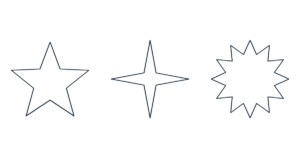
Star Template Create a free printable star template in any size. Choose 5-point stars, sparkles or bursts. Download actual-s…
Create heart templates in any width and height. Adjust the notch, top curves and overall shape, then download an actual-size PDF or SVG for crafts, cards, sewing and decorations.
Print at 100% or Actual Size. Turn off “Fit to page.” Check the 1-inch or 50-mm ruler before cutting.
Your template is made in your browser. No uploads or account needed.


Enter the full width and height in inches, centimeters or millimeters.
Choose a preset, then adjust the notch, top fullness, skew, taper or rotation if needed.
Save the PDF and print at 100% or Actual Size. Measure a check ruler before cutting.
Create heart shapes for Valentine’s Day cards, wedding decorations, paper crafts, felt appliqué, stencils and classroom projects. Width and height can be set independently, so you can make a tall narrow heart or a wide rounded heart.
Use Notch depth to make the center dip deeper or softer. Top fullness changes the roundness of the two upper lobes. The presets give you a quick starting point, while the sliders let you fine-tune the outline.
For a symmetrical heart, keep Skew and Side bend at 0. If you are folding paper in half before cutting, turn on Center guides and use the vertical guide as a folding reference.
Choose One heart / tile large hearts. Oversized templates are split across up to 100 pages without shrinking. Arrange the printed pages by ROW and COL, trim the page frames and overlap neighboring pages by the selected amount. Align the repeated outline and tape from the back.
Choose US Letter, A4, US Legal, Tabloid / Ledger or A3. Best fit selects portrait or landscape automatically. Larger paper sizes require a compatible printer.
Yes. Select inches, enter 4 for Width and Height, or press the 4 in preset.
Yes. Set Width and Height independently. The heart is fitted to those dimensions before rotation.
Yes. Use Skew or Side bend. Flip controls can mirror the result horizontally or vertically.
Choose Fill the page or Custom count. Custom count accepts 1–500 hearts, subject to the 100-page limit.
Set the matching paper size and print at 100% or Actual Size. Disable Fit to page and browser headers and footers. Check the 1-inch or 50-mm ruler before using the template.
Yes. Templates are free for personal and commercial projects. Settings and files are processed in your browser.