
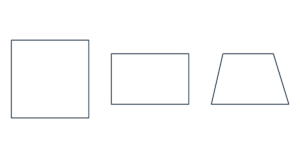
Free Square & Rectangle Template Generator Create printable square, rectangle, rhombus and trapezoid templates. Set exact dimensions and offsets in inche…
Make regular triangles, pentagons, hexagons, octagons and more. Choose 3–100 sides, set a side length or overall size in inches, cm or mm, and download an actual-size PDF.
Print at 100% or Actual Size. Turn off “Fit to page.” Check the 1-inch or 50-mm ruler before cutting.
Your template is made in your browser. No uploads or account needed.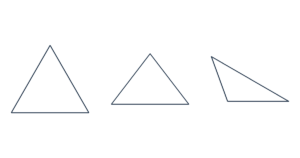
Select a triangle, square, pentagon, hexagon, octagon or decagon. Enter 3–100 sides for another regular polygon.
Choose a side length, overall width or height, or the diameter of an enclosing or inscribed circle.
Save the PDF and print at 100% or Actual Size. Measure a check ruler before cutting.
Use a pentagon for shape lessons and paper decorations, a hexagon for honeycomb patterns or patchwork, and an octagon for craft projects and stencils. Every template is a regular polygon: all sides are the same length and all interior angles are equal.
The size field uses inches, centimeters or millimeters. A side length of 2 inches means each edge measures 2 inches; it does not mean the entire polygon is 2 inches wide. Select Overall width when you need the shape to fit a particular space.
| Size by | What it measures |
|---|---|
| Side length | One straight edge of the polygon. |
| Overall width | The horizontal distance across the rotated shape. |
| Overall height | The vertical distance across the rotated shape. |
| Circumcircle diameter | A circle passing through every vertex. |
| Incircle diameter | A circle touching every side from inside. |
Dimensions refer to the centers of the outline strokes. Changing size units preserves the physical measurement. Adding reference circles, vertex numbers or labels may reduce how many polygons fit on a sheet.
Print a single polygon, fill a sheet with matching shapes, or choose a custom count. Use the outline as a stencil for paper, card, felt or fabric. Seam allowances and glue tabs are not added automatically.
For lessons, add the circumcircle, incircle, center-to-vertex lines, side-midpoint lines, vertex numbers or angle values. Diagonals are available for polygons with up to 12 sides. High side counts can make labels crowded; turn off extra guides for a cleaner template.
Select One polygon / tile large polygons. Oversized shapes are split across up to 100 pages at actual size. Print every sheet at 100%, arrange them by ROW and COL, trim the page frames and overlap neighboring sheets by the selected amount. Match the repeated outline and tape from the back.
US Letter, A4, US Legal, Tabloid / Ledger and A3 are available. Select the same paper in your printer settings. Larger paper needs a compatible printer. Placement uses the bounding rectangle around each shape, rather than nesting polygons together.
Yes. Hexagon is the default. Choose the side length or overall dimensions and download the PDF. All six sides remain equal.
Yes. Select Pentagon or Octagon. You can also enter any whole number from 3 to 100 in Number of sides.
A side is one edge. Overall width spans the entire shape and depends on its side count and orientation. Choose Overall width to set that distance directly.
This tool makes regular polygons with equal sides and angles. It does not let you move individual vertices.
Use the matching paper size, select Actual Size or 100%, disable Fit to page and turn off print headers and footers. Measure the 1-inch or 50-mm ruler.
Yes. Templates created here are free for personal and commercial projects. Files are generated in your browser without uploading your settings.