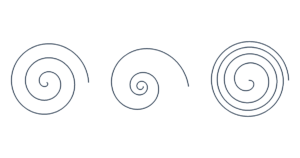
Spiral Template Generator Make a free printable spiral template. Adjust size, turns, spacing, color and spiral arms. Choose inches, cm o…
Create a rounded arch with straight sides. Adjust the width, total height and curved top, and add an inner outline to make an arch frame.
Print at Actual size / 100%. Check that the scale line measures 50 mm (1.97 in).
The preview is scaled to fit your screen. Downloads keep the actual dimensions, with no dimension labels over the template.
The top is half an ellipse, with straight vertical sides and a flat bottom. When curved top height equals half the width, the top is semicircular. Make the curved top shallower or taller for a different arch.
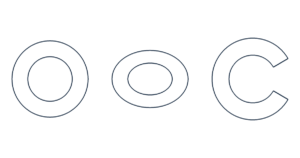
Leave frame thickness at zero for one outer outline. Enter a positive thickness to add an inner outline for a frame or window cutout. The inner arch uses smaller ellipse radii; frame thickness is not a constant perpendicular offset around the curve.
Yes. Large templates are tiled at their actual size. Cut the page borders and align the overlap marks.
Yes. Set the total height and curved top height to half the width, or use the semicircle preset.
US Letter, US Legal, A4 and A3 are available. Oversized templates are split across sheets without shrinking. ROW and COL identify tile positions; COPY identifies the set. Trim at the printed border and align the 5 mm overlap marks. PDF includes all pages; SVG saves the current preview page. The limit is 100 pages and 100 sets.
Dimensions are measured at line centers. Curves are approximated with fine line segments. Solid lines are cutting lines and dashed lines are folds, except when you choose a dashed spiral style. Small glue tabs may be limited automatically. Allow for paper thickness, glue and printer accuracy when assembling.
Your dimensions and file generation stay in your browser. No account or upload is needed. Free for personal and commercial use.