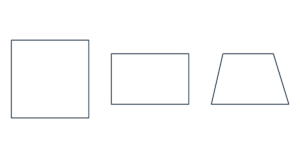
Free Square & Rectangle Template Generator Create printable square, rectangle, rhombus and trapezoid templates. Set exact dimensions and offsets in inche…
Create equilateral, isosceles and right triangles, or set a base and two angles for a custom triangle. Add a centroid or perpendicular height guide.
Base B is horizontal. Each base angle must be 0.1–179.9°, with a sum below 180°. Apex angle and height are calculated automatically.
Lengths: 1–1000 mm (0.0394–39.37 in). Switching units preserves the physical size.
Print at Actual size / 100%. Turn off Fit to page. Check that the scale line measures 50 mm (1.97 in).
The preview is scaled to fit. PDF keeps the actual dimensions.
Use a side length for an equilateral triangle, or base and perpendicular height for an isosceles or right triangle. Custom triangles use a horizontal base and the bottom-left and bottom-right interior angles. The apex angle is 180° minus those two angles. Each base angle must be 0.1–179.9°, and their sum must be below 180°.
60° and 60° gives an equilateral triangle. 45° and 45° gives an isosceles triangle with a right angle at the apex. 110° and 30° gives an obtuse triangle. Use Mirror to swap the two base angles.
No. Height is perpendicular to the base. An equilateral triangle has height equal to side length × √3 / 2.
The centroid is the intersection of the medians, one third of the height above the base. The height guide drops perpendicularly from the apex and extends the base if needed. B and H in PDF labels mean base and height; length labels use centimeters.
US Letter, US Legal, A4 and A3 are supported. Large shapes are tiled with a 5 mm overlap, up to 200 pages. ROW and COL identify tile positions; COPY identifies the shape. Trim the light borders and align the overlap marks. Quantity can be set from 1 to 500, subject to the page limit.
Lengths are measured at line centers. No seam allowance is added. Input and PDF generation stay in your browser, with no account or upload required. Free for personal and commercial use.