Spiral Template Generator Make a free printable spiral template. Adjust size, turns, spacing, color and spiral arms. Choose inches, cm o…
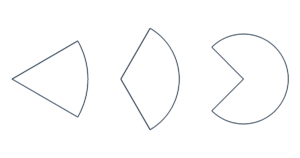
Choose a semicircle, quarter circle, three-quarter circle or eighth circle. Set the size by full-circle diameter, radius or shape width.
Loading tool…
Print at Actual size / 100%. Check that the scale measures 100 mm (3.94 in).
The screen preview is scaled. PDF keeps the actual dimensions.
Full circle diameter and radius refer to the circle the shape comes from. Shape width refers to the visible width before rotation. These are not always equal: a right-facing semicircle is half the full circle diameter wide and a full diameter tall.
Choose 180°, 90°, 270° or 45° shapes. Rotate in degrees, mirror horizontally, and add a center point or center cross. Keep the initial orientation or use 90° steps to turn the straight edge.
Yes. The generator splits oversized templates into tiles without shrinking them. Align the overlap shown on each page.
No. Width is measured before rotation. Rotating changes the bounding box on the page.
US Letter, US Legal, A4, A3 and JIS B5 are available. Oversized shapes are tiled at actual size. Trim at the printed tile borders and align the overlap. ROW and COL identify the tile position. PDF contains all pages. SVG and PNG save the current preview page; PNG is 150 dpi and print software may resize it, so use PDF for precise printing. Up to 200 shapes and 200 pages.
Dimensions are measured at line centers. Input and file generation stay in your browser, with no account or upload needed. Free for personal and commercial use.