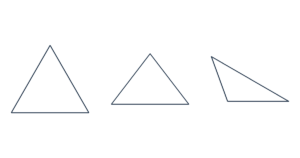
Free Triangle Template Generator Create printable triangle templates from side length, base and height, or base and two angles. Set inches, cm…
Make squares, rectangles, rhombuses, trapezoids and parallelograms at precise sizes. Set diagonals, top and bottom edges, height and horizontal offset.
Lengths: 1–1000 mm (0.0394–39.37 in). Switching units preserves the physical size.
Print at Actual size / 100%. Turn off Fit to page. Check that the scale line measures 50 mm (1.97 in).
The preview is scaled to fit. PDF keeps the actual dimensions.
A rhombus uses its full horizontal and vertical diagonals, not side lengths. For example, diagonals of 80 mm and 60 mm give sides of 50 mm. A trapezoid uses top edge, bottom edge and perpendicular height. Align the top at the center, left or right, or enter a horizontal offset. Equal top and bottom lengths with an offset make a parallelogram.
Squares and rectangles use center lines. Rhombuses and trapezoids use diagonals. The point marks the diagonal intersection, which is not generally the area centroid of a trapezoid. PDF labels D, T, B, H and X mean diagonal, top, base, height and offset; labels use centimeters.
It supports squares, rectangles, rhombuses, trapezoids and parallelograms. General quadrilaterals with no parallel sides and concave shapes are not supported.
US Letter, US Legal, A4 and A3 are supported. Large shapes are tiled with a 5 mm overlap, up to 200 pages. ROW and COL identify tile positions; COPY identifies the shape. Trim the light borders and align the overlap marks. Quantity can be set from 1 to 500, subject to the page limit.
Lengths are measured at line centers. No seam allowance is added. Input and PDF generation stay in your browser, with no account or upload required. Free for personal and commercial use.