
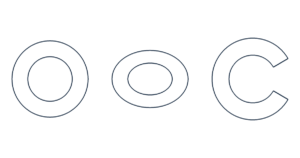
Free Ring & Donut Template Generator Create printable ring and donut templates with custom diameters. Make ellipse, C-shaped and slit rings. Free a…
The exact circle you need, ready to print. Pick a size or enter your own diameter in inches, cm or mm. Download an actual-size PDF for US Letter, A4, Legal, Tabloid or A3.
Print at 100% or Actual Size. Turn off “Fit to page.” Check the 1-inch or 50-mm ruler on your printout before cutting.
Your template is created in your browser. No account or upload required.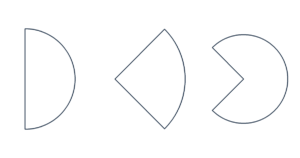
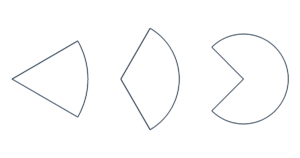
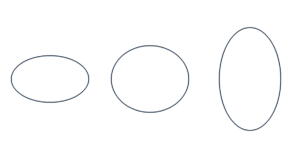
Tap a common size or enter a custom measurement. All sizes refer to the diameter, not the radius.
Select US Letter, A4, Legal, Tabloid or A3. Print one circle, fill a sheet, or choose how many you need.
Save the PDF and print at 100% or Actual Size. Measure the check ruler, then cut or trace.
Need a 1-inch, 2-inch or 4-inch circle template? Choose a size below to update the printable template above. Each size can be printed as a single circle or repeated across the page.
| Diameter | Metric equivalent | Make template |
|---|---|---|
| 0.5 inch circle template | 12.7 mm | |
| 1 inch circle template | 25.4 mm | |
| 1.5 inch circle template | 38.1 mm | |
| 2 inch circle template | 50.8 mm | |
| 2.5 inch circle template | 63.5 mm | |
| 3 inch circle template | 76.2 mm | |
| 4 inch circle template | 101.6 mm | |
| 5 inch circle template | 127 mm | |
| 6 inch circle template | 152.4 mm | |
| 8 inch circle template | 203.2 mm |
Make paper circles for classroom activities, felt shapes, scrapbooking, party decorations and craft projects. For a circle stencil, print on cardstock and cut out the center; use the opening to trace your shape. You can also cut out the circle itself and trace around its edge.
Use plain full-sheet sticker paper to make blank round sticker outlines that you cut yourself. Pre-cut label sheets need a product-specific layout: these templates are not aligned to Avery or other branded label stock.
A circle that is too large for one sheet is automatically split across several pages at its original size. The preview shows the page count before you download. Print all pages at 100%, arrange them by ROW and COL, trim the outer margins along the light rectangular frames, then overlap neighboring pages by 5 mm (about 0.197 inches). Align the repeated outlines and dashed guides, and tape the sheets together from the back.
For example, a 12-inch circle needs multiple US Letter sheets. Changing to a larger diameter adds pages instead of shrinking the circle.
Select the same paper size in the tool and in your print settings. Choose “Actual Size” or “100%,” turn off “Fit,” and avoid borderless enlargement. If you use the browser's Print button, also turn off headers and footers.
Measure the 1-inch or 50-mm check ruler. Measure circle diameter between the centers of the outline strokes. For precise work, check both the horizontal and vertical diameter; printers can introduce small differences.
Yes. Select “2 in,” choose your paper size and download the PDF. A 2-inch diameter equals 50.8 mm. Select “Fill the page” for a sheet of matching circles.
Yes. Enter 1.25 and choose inches. Decimal measurements are supported in inches, centimeters and millimeters. Switching units preserves the physical size.
Yes. Change Paper size to A4 before downloading, then select A4 in your printer settings. A3, US Letter, Legal and Tabloid are also available. The circle keeps the same diameter on every paper size.
Your print settings may be scaling the PDF to fit the page. Choose Actual Size or 100% and check that the selected paper matches the PDF. Measure the printed check ruler to confirm the scale.
Yes. The circle templates you create here are free for personal and commercial projects, including classroom materials, shop displays and handmade products.
No. Create and download your PDF directly in the browser. On a phone, download the PDF first and open it in a PDF viewer or your printer's app.