Free Semicircle & Quarter Circle Template GeneratorMake semicircle and quarter circle templates in any size. Set inches, cm or mm, rotate and tile large shapes.…
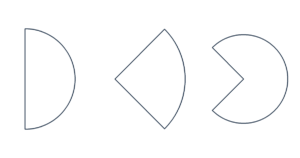
Create a circular sector from radius and angle, arc length or chord length. Add an inner radius for an annular sector.
Loading tool…
Print at Actual size / 100%. Check that the scale measures 100 mm (3.94 in).
The screen preview is scaled. PDF keeps the actual dimensions.
Choose the radius plus central angle, outer arc length or chord length. Arc length is measured along the curve; a chord is the straight line between its endpoints. For the same chord, choose the minor or major sector. Arc length is rθ and chord length is 2r sin(θ/2), with θ in radians.
A positive inner radius makes a band-shaped annular sector. Keep Show radial edges on for a closed cutout. For cone nets, this radius is the slant height, not the vertical height. This page does not add glue tabs; use the cone generator for assembly tabs.
About 157.080 mm. The chord is about 141.421 mm.
Central angles from 1° to 359°. Use the circle tool for a complete circle.
US Letter, US Legal, A4, A3 and JIS B5 are available. Oversized shapes are tiled at actual size. Trim at the printed tile borders and align the overlap. ROW and COL identify the tile position. PDF contains all pages. SVG and PNG save the current preview page; PNG is 150 dpi and print software may resize it, so use PDF for precise printing. Up to 200 shapes and 200 pages.
Dimensions are measured at line centers. Input and file generation stay in your browser, with no account or upload needed. Free for personal and commercial use.