
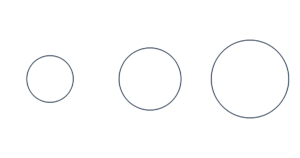
Circle Template Create a free printable circle template in any size. Choose inches, cm or mm, then download an actual-size PDF…
Create oval templates in any width and height. Set your dimensions in inches, cm or mm, then download an actual-size PDF for crafts, sewing and stencils.
Print at 100% or Actual Size. Turn off “Fit to page.” Check the 1-inch or 50-mm ruler before cutting.
Your template is made in your browser. No uploads or account needed.
Enter the full distance from edge to edge in inches, centimeters or millimeters.
Print one oval, fill a sheet or enter a custom count. Larger ovals can be tiled across sheets.
Save the PDF and print at 100% or Actual Size. Measure a check ruler before cutting.
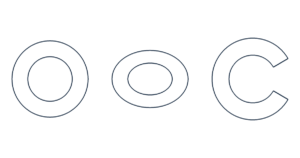
Make matching oval pieces for felt, fabric, paper decorations, frames and stencils. Set the width and height independently, including decimal sizes. Seam allowances and inner borders are not added automatically.
Width is the horizontal distance across the whole oval. Height is the vertical distance. The longer dimension is the major axis and the shorter is the minor axis. Each radius is half the corresponding full dimension.
A 4 × 2 inch oval is 4 inches wide and 2 inches tall. Swap width and height for a tall oval. Equal dimensions make a circle. This tool creates a symmetrical ellipse; an egg shape or a capsule shape has a different outline.
Choose One ellipse / tile large ellipses. Oversized templates are split across up to 100 pages without shrinking. Arrange the printed pages by ROW and COL, trim the page frames and overlap neighboring pages by the selected amount. Align the repeated outline and tape from the back.
Choose US Letter, A4, US Legal, Tabloid / Ledger or A3. Best fit selects portrait or landscape without swapping the oval’s width and height. Larger paper sizes require a compatible printer.
Yes. Enter 4 for Width and 2 for Height with inches selected, or use the preset button.
Yes. Set Height larger than Width or press Swap width and height.
Choose Fill the page or Custom count. Custom count accepts 1–500 ellipses, subject to the 100-page limit.
No. The values convert automatically so the physical dimensions stay the same.
Set the matching paper size and print at 100% or Actual Size. Disable Fit to page and browser headers and footers. Check the 1-inch or 50-mm ruler and measure the oval’s width and height.
Measure between the centers of the outline strokes. Measuring the outside of a thick stroke includes its thickness.
Yes. Templates are free for personal and commercial projects. Settings and files are processed in your browser.